Updating

Zebra Printer Setup Utility
Released: 2019-06-19
©2023 Zebra Technologies Corporation and/or its affiliates. All rights reserved.


iPhone Screenshots


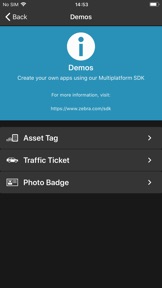


Description
With Zebra’s Printer Setup Utility, configuring your Zebra Print DNA printers to optimize performance is easy – no specialized knowledge required.
The app can find and connect to Zebra Print DNA printers communicating via a network or Bluetooth. Follow the simple wizards to set specific parameters including connectivity, calibration, media type, printer language and print quality – to optimize performance.
With the Security Assessment Wizard feature, assess your Zebra printer security posture, compare your settings against security best practices and make changes based on your conditions to increase protection.
Bluetooth Printers are now manageable, even in the field!
Traditionally, Bluetooth printers are not easily managed – particularly when the printers are used in the field by a mobile workforce. Zebra’s Printer Setup utility makes Bluetooth printers manageable via the Cloud by allowing you to retrieve files from your Cloud storage provider and then transfer these files to your printers for faster configuration and easier software updates. This simplifies the management of your Bluetooth printers, dramatically improving your return on investment and increasing the productivity of your mobile workforce.
Help is just a tap away - use the "Zebra Assist" feature to send your printers configuration directly to Zebra's support team.
SUPPORTED PRINTERS:
The app supports Zebra printer models running Link-OS 3.0 and later and ZQ200 series, ZQ112, ZQ120, ZR118, ZR138 printer models that run the CPCL (Line Print) and ESC/POS command languages
IMPORTANT: The ZQ200 series, ZQ112, ZQ120, ZR118, ZR138 printers require firmware version 88.01.04 or later to work with this version of the app. Visit the support article link below for instructions on where to get the firmware and how to upgrade your printer.
Support article link: https://supportcommunity.zebra.com/s/article/Technical-Bulletin?language=en_US
What's New in Version 2.4.4253
1. Added support for configuring WPA3 in printers that support Wi-Fi 6.
2. Added support for setting the Wi-Fi Country Code.
3. Added warning text on screens where settings can be saved to a file.
4. Corrected an issue where printers on a different subnet weren't found when using the “Manually Select Printer” option.
5. Bluetooth pairing improvements.
Seller
Name
Zebra Technologies Corporation
Information
Developer
Categories
Version
2.4.4253
Size
181.2 MB
Game Center
No
VPP Device Licensing
Yes
Rating
Rated: 4+
Compatibility
iOS 11.0 or later
Devices
iPhone 5s, iPhone 6, iPhone 6 Plus, iPhone 6s, iPhone 6s Plus, iPhone SE, iPhone 7, iPhone 7 Plus, iPhone 8, iPhone 8 Plus, iPhone X, iPhone XR, iPhone XS, iPhone XS Max, iPhone 11, iPhone 11 Pro, iPhone 11 Pro Max, iPhone SE (2nd generation), iPhone 12, iPhone 12 Pro, iPhone 12 Pro Max, iPhone 12 mini, iPhone 13, iPhone 13 Pro, iPhone 13 Pro Max, iPhone 13 mini, iPhone SE (3rd generation), iPhone 14, iPhone 14 Plus, iPhone 14 Pro, iPhone 14 Pro Max, iPhone 15, iPhone 15 Plus, iPhone 15 Pro, iPhone 15 Pro Max, iPad (5th Generation) Wi-Fi, iPad (5th Generation) Wi-Fi + Cellular, iPad (6th generation) Wi-Fi, iPad (6th generation) Wi-Fi + Cellular, iPad Pro, iPad Pro (Cellular), iPad Pro (9.7-inch), iPad Pro (9.7-inch) (Cellular), iPad Pro 12.9-inch (2nd generation), iPad Pro 12.9-inch (2nd generation) Wi-Fi + Cellular, iPad Pro (10.5-inch), iPad Pro (10.5-inch) Wi-Fi + Cellular, iPad Pro (11-inch), iPad Pro (11-inch) Wi-Fi + Cellular, iPad Pro 12.9-inch (3rd generation), iPad Pro 12.9-inch (3rd generation) Wi-Fi + Cellular, iPad Air, iPad Air (Cellular), iPad Air 2, iPad Air 2 (Cellular), iPad Air (3rd generation), iPad Air (3rd generation) Wi-Fi + Cellular, iPad mini Retina, iPad mini Retina (Cellular), iPad mini 3, iPad mini 3 (Cellular), iPad mini 4, iPad mini 4 (Cellular), iPad mini (5th Generation), iPad mini (5th Generation) Wi-Fi + Cellular, iPad (7th generation) Wi-Fi + Cellular, iPad Pro 11-inch (2nd generation), iPad Pro 11-inch (2nd generation) Wi-Fi + Cellular, iPad Pro 12.9-inch (4th generation), iPad Pro 12.9-inch (4th generation) Wi-Fi + Cellular, iPad Air (4th Generation) (Wi-Fi), iPad Air (4th Generation) (Wi-Fi + Cellular), iPad (8th generation) Wi-Fi, iPad (8th generation) Wi-Fi + Cellular, iPad Pro 11-inch (3rd generation), iPad Pro 11-inch (3rd generation) Wi-Fi + Cellular, iPad Pro 12.9-inch (5th Generation), iPad Pro 12.9-inch (5th Generation) Wi-Fi + Cellular, iPad (9th Generation), iPad (9th Generation) Wi-Fi + Cellular, iPad mini (6th Generation), iPad mini (6th Generation) Wi-Fi + Cellular, iPad Air (5th generation), iPad Air (5th generation) Wi-Fi + Cellular, iPad Pro 11-inch (4th generation), iPad Pro 11-inch (4th generation) Wi-Fi + Cellular, iPad Pro 12.9-inch (6th generation), iPad Pro 12.9-inch (6th generation) Wi-Fi + Cellular, iPad (10th generation), iPad (10th generation) Wi-Fi + Cellular, iPod touch (6th Generation), iPod touch (7th generation)
Languages
App Store: Customer Ratings
Ratings & Reviews
0.0 of 5 (No rating)
App Store: Customer Reviews
No Entry