AboutTermsPrivacyContact
 
Updating
PANTONE Studio

PANTONE Studio

Released: 2009-09-11
©2017-2020 Pantone LLC
PANTONE Studio - QR Code
Version 3.0.32
4+
Download on the App Store
Version 3.0.32
4+
Download on the App Store
Released: 2009-09-11
©2017-2020 Pantone LLC

iPhone Screenshots

Screenshot
Screenshot
Screenshot
Screenshot
Screenshot
Screenshot
Screenshot
Screenshot

iPad Screenshots

Screenshot
Screenshot
Screenshot
Screenshot
Screenshot
Screenshot
Screenshot
Screenshot

Description

Capture your world in PANTONE Color, build and create palettes to test on 3D-rendered materials & designs, and share PANTONE Colors with your Creative Cloud® account, clients, and social networks.
Subscribers get access to all PANTONE Colors (more than 10,000 standardized hues across all libraries and disciplines), and receive a 1-week or 1-month free trial with a monthly or annual subscription.
All tools, features, and content are free with a selection of available PANTONE Colors. Those who previously purchased the myPANTONE app get full access without subscription.
TOOLS & FEATURES
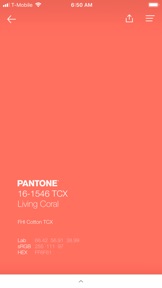
Color Values/References
- sRGB
- Hex
- CMYK
- Harmonies (complementary, monochromatic, analogous, split complementary, triadic)
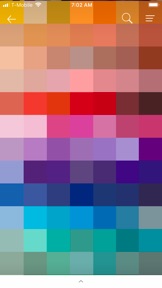
- Cross Reference visually across all Pantone color guides and color systems
Color Palettes
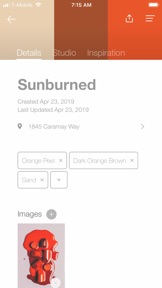
- Build color palettes consisting of up to five colors by selecting from color guides
- Take a photo and use our color picker to build a custom palette
- Extract colors from images on your phone or Pinterest, Facebook, Tumblr, and Instagram accounts
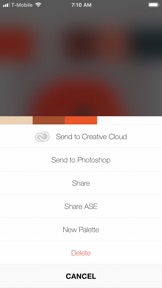
- All palettes can be sent to Adobe® Creative Cloud®
Color Studio
- Apply colors against different designs including graphics, interiors, and typography.
- Visualize PANTONE Colors on pliable 3D papers and fabrics.
Crowdsourcing Inspiration
Studio features external sources of content to pull in the inspiring, colorful work of others. Users can scroll through artists’ designs and images organized by PANTONE Color and select their palettes for use.
Subscribe
Bring full color to Studio with one of these subscription options:
Monthly – $4.99/month with 1-week free trial
Annual – $29.99/year with 1-month free trial
myPANTONE Customers- Full access without subscription to colors and values previously available in myPANTONE
Questions? Contact us at Support@Pantone.com
– Payment will be charged to your iTunes Account at confirmation of purchase
– The subscription automatically renews unless auto-renew is turned off at least 24-hours before the end of the current period
– Your account will be charged for renewal within 24-hours prior to the end of the current period
– Subscriptions may be managed by the user and auto-renewal may be turned off by going to the user's Account Settings after purchase
– Any unused portion of a free trial period, if offered, will be forfeited when the user purchases a subscription to that publication, where applicable
For a link to our terms of use and privacy policy, visit: https://www.pantone.com/help/?t=Pantone-Studio-Mobile-app-Privacy-Statement

What's New in Version 3.0.32

We fixed a bug that affected the palettes.
If you love Studio, check out the new Pantone Connect app, which includes many more great features and extends to web and Adobe extension apps.

Seller

Name

X-Rite, Incorporated

Information

Developer

Categories

Version

3.0.32

Size

110.2 MB

Game Center

No

VPP Device Licensing

Yes

Rating

Rated: 4+

Compatibility

iOS 11.0 or later

Devices

iPhone 5s, iPhone 6, iPhone 6 Plus, iPhone 6s, iPhone 6s Plus, iPhone SE, iPhone 7, iPhone 7 Plus, iPhone 8, iPhone 8 Plus, iPhone X, iPhone XR, iPhone XS, iPhone XS Max, iPhone 11, iPhone 11 Pro, iPhone 11 Pro Max, iPhone SE (2nd generation), iPhone 12, iPhone 12 Pro, iPhone 12 Pro Max, iPhone 12 mini, iPhone 13, iPhone 13 Pro, iPhone 13 Pro Max, iPhone 13 mini, iPhone SE (3rd generation), iPhone 14, iPhone 14 Plus, iPhone 14 Pro, iPhone 14 Pro Max, iPhone 15, iPhone 15 Plus, iPhone 15 Pro, iPhone 15 Pro Max, iPad (5th Generation) Wi-Fi, iPad (5th Generation) Wi-Fi + Cellular, iPad (6th generation) Wi-Fi, iPad (6th generation) Wi-Fi + Cellular, iPad Pro, iPad Pro (Cellular), iPad Pro (9.7-inch), iPad Pro (9.7-inch) (Cellular), iPad Pro 12.9-inch (2nd generation), iPad Pro 12.9-inch (2nd generation) Wi-Fi + Cellular, iPad Pro (10.5-inch), iPad Pro (10.5-inch) Wi-Fi + Cellular, iPad Pro (11-inch), iPad Pro (11-inch) Wi-Fi + Cellular, iPad Pro 12.9-inch (3rd generation), iPad Pro 12.9-inch (3rd generation) Wi-Fi + Cellular, iPad Air, iPad Air (Cellular), iPad Air 2, iPad Air 2 (Cellular), iPad Air (3rd generation), iPad Air (3rd generation) Wi-Fi + Cellular, iPad mini Retina, iPad mini Retina (Cellular), iPad mini 3, iPad mini 3 (Cellular), iPad mini 4, iPad mini 4 (Cellular), iPad mini (5th Generation), iPad mini (5th Generation) Wi-Fi + Cellular, iPad (7th generation) Wi-Fi + Cellular, iPad Pro 11-inch (2nd generation), iPad Pro 11-inch (2nd generation) Wi-Fi + Cellular, iPad Pro 12.9-inch (4th generation), iPad Pro 12.9-inch (4th generation) Wi-Fi + Cellular, iPad Air (4th Generation) (Wi-Fi), iPad Air (4th Generation) (Wi-Fi + Cellular), iPad (8th generation) Wi-Fi, iPad (8th generation) Wi-Fi + Cellular, iPad Pro 11-inch (3rd generation), iPad Pro 11-inch (3rd generation) Wi-Fi + Cellular, iPad Pro 12.9-inch (5th Generation), iPad Pro 12.9-inch (5th Generation) Wi-Fi + Cellular, iPad (9th Generation), iPad (9th Generation) Wi-Fi + Cellular, iPad mini (6th Generation), iPad mini (6th Generation) Wi-Fi + Cellular, iPad Air (5th generation), iPad Air (5th generation) Wi-Fi + Cellular, iPad Pro 11-inch (4th generation), iPad Pro 11-inch (4th generation) Wi-Fi + Cellular, iPad Pro 12.9-inch (6th generation), iPad Pro 12.9-inch (6th generation) Wi-Fi + Cellular, iPad (10th generation), iPad (10th generation) Wi-Fi + Cellular, iPod touch (6th Generation), iPod touch (7th generation)

Languages

English, Chinese, French, German, Italian, Japanese, Korean, Portuguese, Spanish

App Store: Customer Ratings

Ratings & Reviews

3.0 of 5 (9 Ratings)

App Store: Customer Reviews

2020-03-06

Absolute rip-off garbage

Amazing how none of these accurate reviews can be seen.
gg123456789jh
Version 3.0.24
2018-04-11

VERY good, once you figure it out.

This is not an intuitive app. That being said, if you don't mind taking the time to learn the ins and outs of where to click and how to locate the benefits, it's a WONDERFUL little app.
HSternMillinery
Version 3.0.15
2009-10-12

Good App

Very nice app. But it would be nice if it gave the CMYK values also.
Johnjsm
2009-10-01

Excellent

Great APP, ten out of ten
Well Worth It