AboutTermsPrivacyContact
 
Updating
Amazon WorkSpaces

Amazon WorkSpaces

Released: 2013-12-04
© 2022 AMZN Mobile LLC
Amazon WorkSpaces - QR Code
Version 2.4.25
17+
Download on the App Store
Version 2.4.25
17+
Download on the App Store
Released: 2013-12-04
© 2022 AMZN Mobile LLC

iPad Screenshots

Screenshot
Screenshot
Screenshot
Screenshot
Screenshot

Description

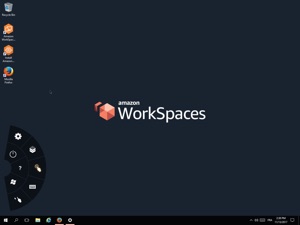
The Amazon WorkSpaces App connects you to an Amazon WorkSpace. Amazon WorkSpaces provides a fully-managed desktop service in the cloud. You can use Amazon WorkSpaces for all of your day-to-day computing needs such as editing documents, accessing web applications, and sending/receiving email. You need an existing Amazon Web Services account and to have provisioned a WorkSpace to use this app.

What's New in Version 2.4.25

Improved client custom branding by storing assets in the same AWS Regions as provisioned WorkSpaces.

Seller

Name

AMZN Mobile LLC

Information

Categories

Version

2.4.25

Size

11.2 MB

Game Center

No

VPP Device Licensing

Yes

Rating

Rated 17+ for the following:
Unrestricted Web Access

Compatibility

iOS 8.0 or later

Devices

iPad (5th Generation) Wi-Fi, iPad (5th Generation) Wi-Fi + Cellular, iPad (6th generation) Wi-Fi, iPad (6th generation) Wi-Fi + Cellular, iPad Pro, iPad Pro (Cellular), iPad Pro (9.7-inch), iPad Pro (9.7-inch) (Cellular), iPad Pro 12.9-inch (2nd generation), iPad Pro 12.9-inch (2nd generation) Wi-Fi + Cellular, iPad Pro (10.5-inch), iPad Pro (10.5-inch) Wi-Fi + Cellular, iPad Pro (11-inch), iPad Pro (11-inch) Wi-Fi + Cellular, iPad Pro 12.9-inch (3rd generation), iPad Pro 12.9-inch (3rd generation) Wi-Fi + Cellular, iPad Air, iPad Air (Cellular), iPad Air 2, iPad Air 2 (Cellular), iPad Air (3rd generation), iPad Air (3rd generation) Wi-Fi + Cellular, iPad mini Retina, iPad mini Retina (Cellular), iPad mini 3, iPad mini 3 (Cellular), iPad mini 4, iPad mini 4 (Cellular), iPad mini (5th Generation), iPad mini (5th Generation) Wi-Fi + Cellular, iPad (7th generation) Wi-Fi + Cellular, iPad Pro 11-inch (2nd generation), iPad Pro 11-inch (2nd generation) Wi-Fi + Cellular, iPad Pro 12.9-inch (4th generation), iPad Pro 12.9-inch (4th generation) Wi-Fi + Cellular, iPad Air (4th Generation) (Wi-Fi), iPad Air (4th Generation) (Wi-Fi + Cellular), iPad (8th generation) Wi-Fi, iPad (8th generation) Wi-Fi + Cellular, iPad Pro 11-inch (3rd generation), iPad Pro 11-inch (3rd generation) Wi-Fi + Cellular, iPad Pro 12.9-inch (5th Generation), iPad Pro 12.9-inch (5th Generation) Wi-Fi + Cellular, iPad (9th Generation), iPad (9th Generation) Wi-Fi + Cellular, iPad mini (6th Generation), iPad mini (6th Generation) Wi-Fi + Cellular, iPad Air (5th generation), iPad Air (5th generation) Wi-Fi + Cellular, iPad Pro 11-inch (4th generation), iPad Pro 11-inch (4th generation) Wi-Fi + Cellular, iPad Pro 12.9-inch (6th generation), iPad Pro 12.9-inch (6th generation) Wi-Fi + Cellular, iPad (10th generation), iPad (10th generation) Wi-Fi + Cellular

Languages

English, Chinese, French, German, Italian, Japanese, Korean, Portuguese

App Store: Customer Ratings

Ratings & Reviews

0.0 of 5 (No rating)

App Store: Customer Reviews

2020-06-16

Needs better mouse and app switching support

With iPad OS introducing mouse support for the iPad, this app does not make use of it at all. Currently there are two mouse modes provided by the app but neither do the job.
Option 1: Mouse mode - This mode works as you would expect, it allows you to point and click. Unfortunately the workspace mouse cursor does not follow the iPad cursor. While this is not too bad, the deal breaker is that right click is not possible with the iPad trackpad, you need to do the two finger click gesture on the iPad screen.
Option 2: Trackpad mode - This mode allows you to move the mouse using the screen like it was a trackpad which is good on a screen but with the iPad trackpad you need to press and hold down the trackpad to move the mouse. At least this mode has a decent right click.
Finally, this app does not play well with app switching. Leaving the app for less than a minute disconnects you from the workspace. This is frustrating for organisations that enforce MFA as you need to re-authenticate every time you want to switch apps. For organisations like mine that use a Yubikey, this gets old fast.
Jiggins the third
Version 2.4.14
2014-04-02

Cool

It would be cool if it worked how can I register ???.....
Cathal byrne
Version 1.0.6