Updating


iPhone Screenshots


iPad Screenshots

Description
Backlog is a project management and collaboration tool for teams that want higher productivity, greater visibility, and simple project tracking. Development teams can work together with Design, Marketing, IT, and more to release high-quality projects, faster.
With the Backlog iOS App, you can update your projects on-the-go. Leave immediate feedback on comment threads and add or edit issues right from your device.
Reach your business goals with features that help you:
- Get everyone on track. Organize your work and teammates with projects and tasks.
- Stay in the loop. Your Activity feed and Watchlist help you keep an eye on relevant work and deadlines.
- Keep the conversation moving. Use comment threads to leave feedback and ask questions right in tasks as you’re working on them.
Mobile features:
- Projects: Organize everyone’s work into projects for better visibility and tracking
- Issues: Create, assign, prioritize, and schedule tasks with your team
- Subtasking: Keep related tasks grouped to stay more organized
- Watchlist: Add important tasks to your personalized Watchlist
- Comment threads: Keep a record of all discussions, changes, and decisions within tasks as they’re being worked on
- Wikis: Create collaboratively edited web pages to refer to again and again for common questions and instructions
- Bug Tracking: Easy issue and bug tracking to keep your projects running smoothly
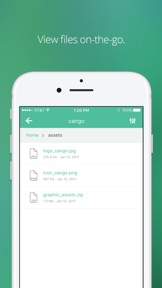
- File sharing: Store important docs and files right in the task or project you need them
Do even more on desktop with:
- Gantt Charts: Automatically generated and updated Gantt charts help you track work as it’s being completed against your project plan
- Burndown Charts: Easily visualize how your project is progressing without having read every issue
- Version control: No installation required, Backlog provides Git and Subversion repositories as well as a Web-based repository browser
Find a bug? Help us squash it! Send an email directly to our support team at support@backlog.com.
What's New in Version 2.20.12
IMPROVED
* Updated Share Feedback link for Japanese
Have feedback or a request? Let us know in the Nulab community forum (community.nulab.com/).
Information
Developer
Categories
Version
2.20.12
Size
21 MB
Game Center
No
VPP Device Licensing
Yes
Rating
Rated: 4+
Compatibility
iOS 15.0 or later
Devices
iPhone 5s, iPhone 6, iPhone 6 Plus, iPhone 6s, iPhone 6s Plus, iPhone SE, iPhone 7, iPhone 7 Plus, iPhone 8, iPhone 8 Plus, iPhone X, iPhone XR, iPhone XS, iPhone XS Max, iPhone 11, iPhone 11 Pro, iPhone 11 Pro Max, iPhone SE (2nd generation), iPhone 12, iPhone 12 Pro, iPhone 12 Pro Max, iPhone 12 mini, iPhone 13, iPhone 13 Pro, iPhone 13 Pro Max, iPhone 13 mini, iPhone SE (3rd generation), iPhone 14, iPhone 14 Plus, iPhone 14 Pro, iPhone 14 Pro Max, iPhone 15, iPhone 15 Plus, iPhone 15 Pro, iPhone 15 Pro Max, iPhone 16, iPhone 16Plus, iPhone 16Pro, iPhone 16ProMax, iPhone 16e, iPad (5th Generation) Wi-Fi, iPad (5th Generation) Wi-Fi + Cellular, iPad (6th generation) Wi-Fi, iPad (6th generation) Wi-Fi + Cellular, iPad Pro, iPad Pro (Cellular), iPad Pro (9.7-inch), iPad Pro (9.7-inch) (Cellular), iPad Pro 12.9-inch (2nd generation), iPad Pro 12.9-inch (2nd generation) Wi-Fi + Cellular, iPad Pro (10.5-inch), iPad Pro (10.5-inch) Wi-Fi + Cellular, iPad Pro (11-inch), iPad Pro (11-inch) Wi-Fi + Cellular, iPad Pro 12.9-inch (3rd generation), iPad Pro 12.9-inch (3rd generation) Wi-Fi + Cellular, iPad Air, iPad Air (Cellular), iPad Air 2, iPad Air 2 (Cellular), iPad Air (3rd generation), iPad Air (3rd generation) Wi-Fi + Cellular, iPad mini Retina, iPad mini Retina (Cellular), iPad mini 3, iPad mini 3 (Cellular), iPad mini 4, iPad mini 4 (Cellular), iPad mini (5th Generation), iPad mini (5th Generation) Wi-Fi + Cellular, iPad (7th generation) Wi-Fi + Cellular, iPad Pro 11-inch (2nd generation), iPad Pro 11-inch (2nd generation) Wi-Fi + Cellular, iPad Pro 12.9-inch (4th generation), iPad Pro 12.9-inch (4th generation) Wi-Fi + Cellular, iPad Air (4th Generation) (Wi-Fi), iPad Air (4th Generation) (Wi-Fi + Cellular), iPad (8th generation) Wi-Fi, iPad (8th generation) Wi-Fi + Cellular, iPad Pro 11-inch (3rd generation), iPad Pro 11-inch (3rd generation) Wi-Fi + Cellular, iPad Pro 12.9-inch (5th Generation), iPad Pro 12.9-inch (5th Generation) Wi-Fi + Cellular, iPad (9th Generation), iPad (9th Generation) Wi-Fi + Cellular, iPad mini (6th Generation), iPad mini (6th Generation) Wi-Fi + Cellular, iPad Air (5th generation), iPad Air (5th generation) Wi-Fi + Cellular, iPad Pro 11-inch (4th generation), iPad Pro 11-inch (4th generation) Wi-Fi + Cellular, iPad Pro 12.9-inch (6th generation), iPad Pro 12.9-inch (6th generation) Wi-Fi + Cellular, iPad (10th generation), iPad (10th generation) Wi-Fi + Cellular, iPad Air 11-inch (M2) Wi-Fi, iPad Air 13-inch (M2) Wi-Fi, iPad Air 13-inch (M2) Wi-Fi + Cellular, iPad Pro 11-inch (M4) Wi-Fi, iPad Pro 11-inch (M4) Wi-Fi + Cellular, iPad Pro 13-inch (M4) Wi-Fi, iPad Pro 13-inch (M4) Wi-Fi + Cellular, iPad MiniA17Pro, iPad MiniA17ProCellular, iPod touch (6th Generation), iPod touch (7th generation)
Languages
English, Japanese
App Store: Customer Ratings
Ratings & Reviews
5.0 of 5 (1 Rating)
App Store: Customer Reviews
No Entry